
WORKBENCH AI TOOLS
Grow your output
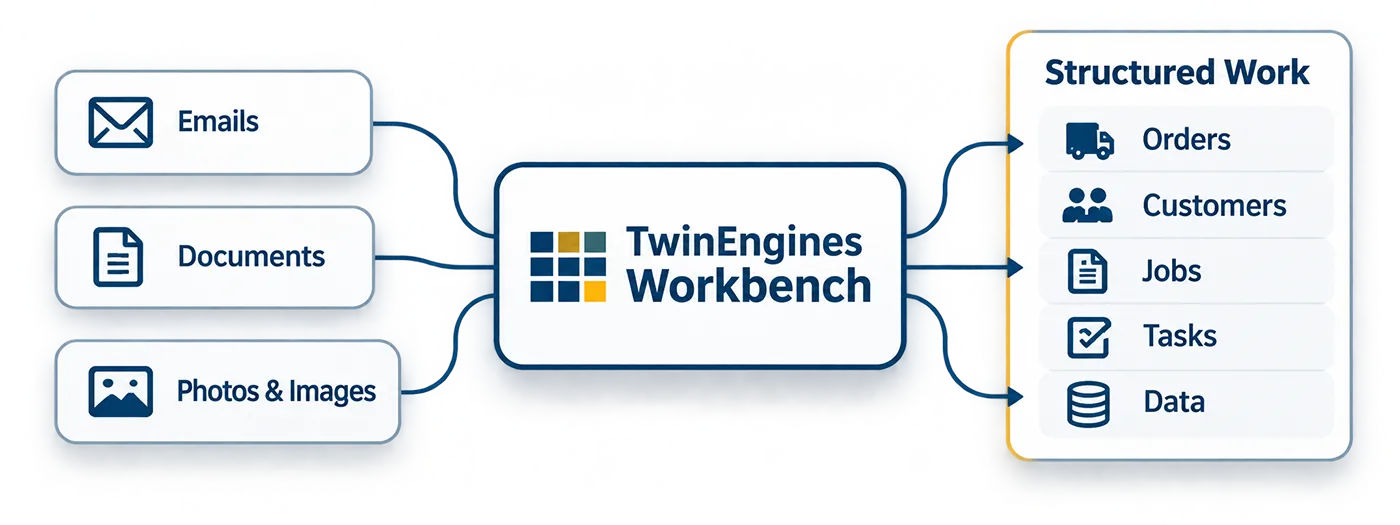
Five AI Tools built into the Workbench take on the cognitive work that slows your team down, so the people you have can handle more of the business you want.




Included in the Workbench
Five AI Tools, working
inside your workflows.
The AI Tools are part of the Workbench, not a separate product. They run
on your connected data and inside the workflows you already use.

AI Email Attendant
Turns the inbox into work.

AI Document Intelligence
Reads documents at volume.

AI Vision
Sees what is written and shown.

AI Agents
Answers and acts on your data.

AI Ontology
Custom MCP servers for your business.
TURN THE INBOX INTO WORK
AI Email Attendant:
Every email read, sorted, and started on the right path.
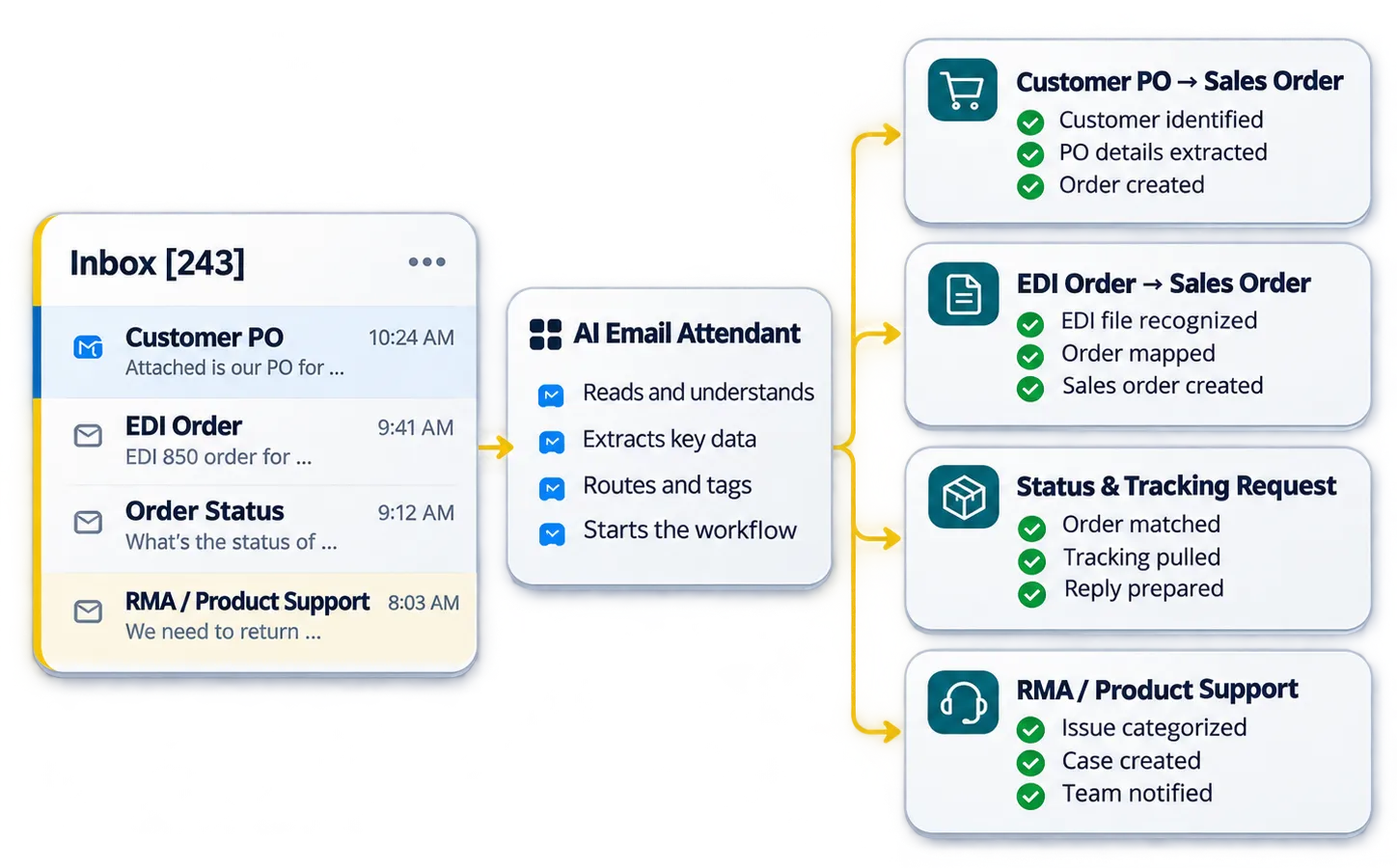
Shared inboxes fill with orders, questions, and requests. The Email Attendant reads each one, pulls out what matters, and kicks off the right workflow.
- Smart inbox routing and triage
- Data extraction from the message and its attachments
- Starts the matching workflow automatically
EXAMPLE
e.g. a distributor receiving thousands of emails
a month, many of them customer POs, routed and
entered without re-keying
READ DOCUMENTS AT VOLUME
AI Document Intelligence:
Invoices, POs, and forms, read and validated for you.
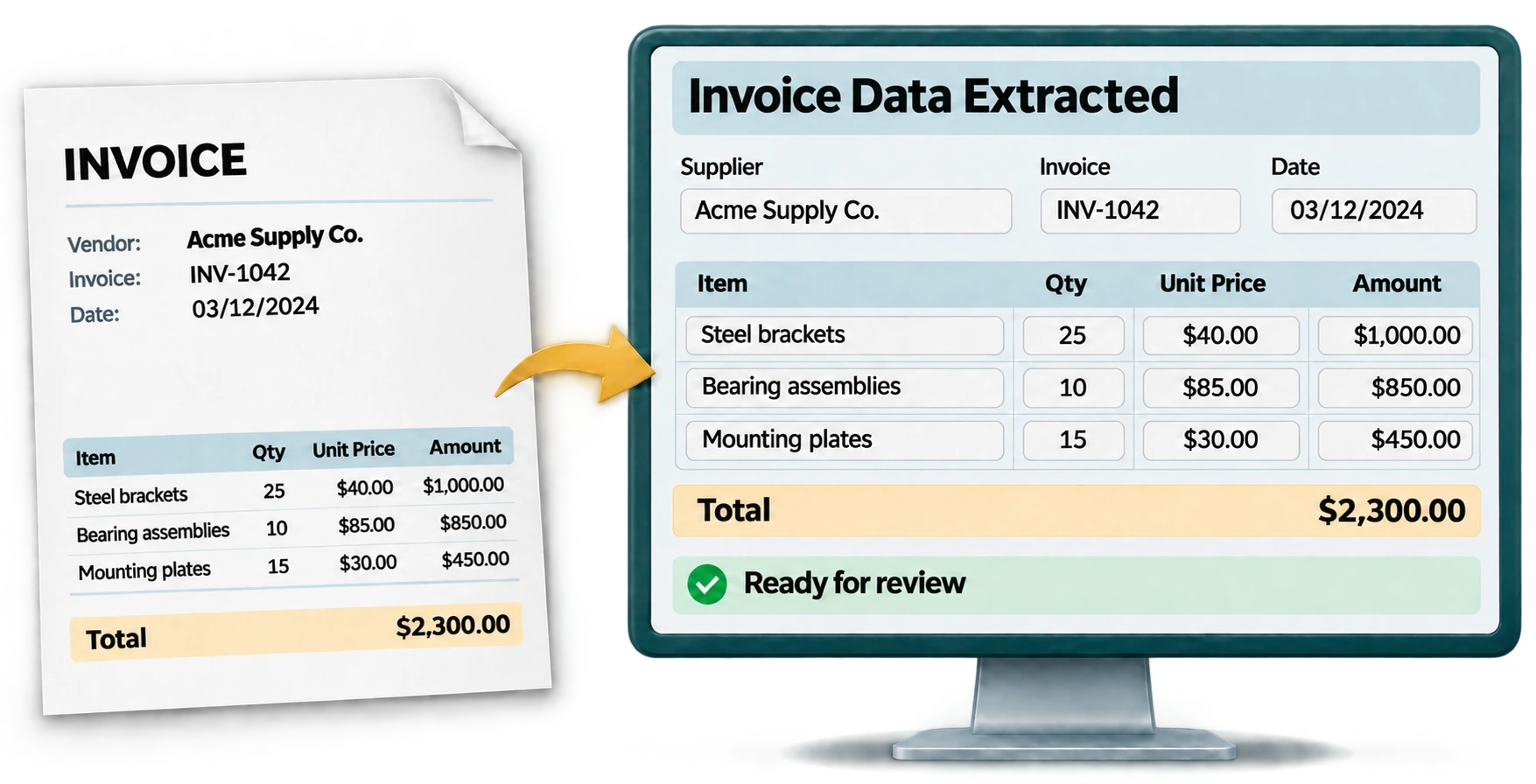
Document Intelligence reads documents at volume, extracts the data, checks it against your rules, and hands your team only the exceptions.
- Extracts and validates structured data
- Forms recognition and AP automation
- Document markups, PDF handling, and text extraction
EXAMPLE
e.g. tens of thousands of vendor invoices a year processed with people handling only the exceptions
See what is written and shown
AI Vision:
Capture what is on the floor, in the field, or on the screen.
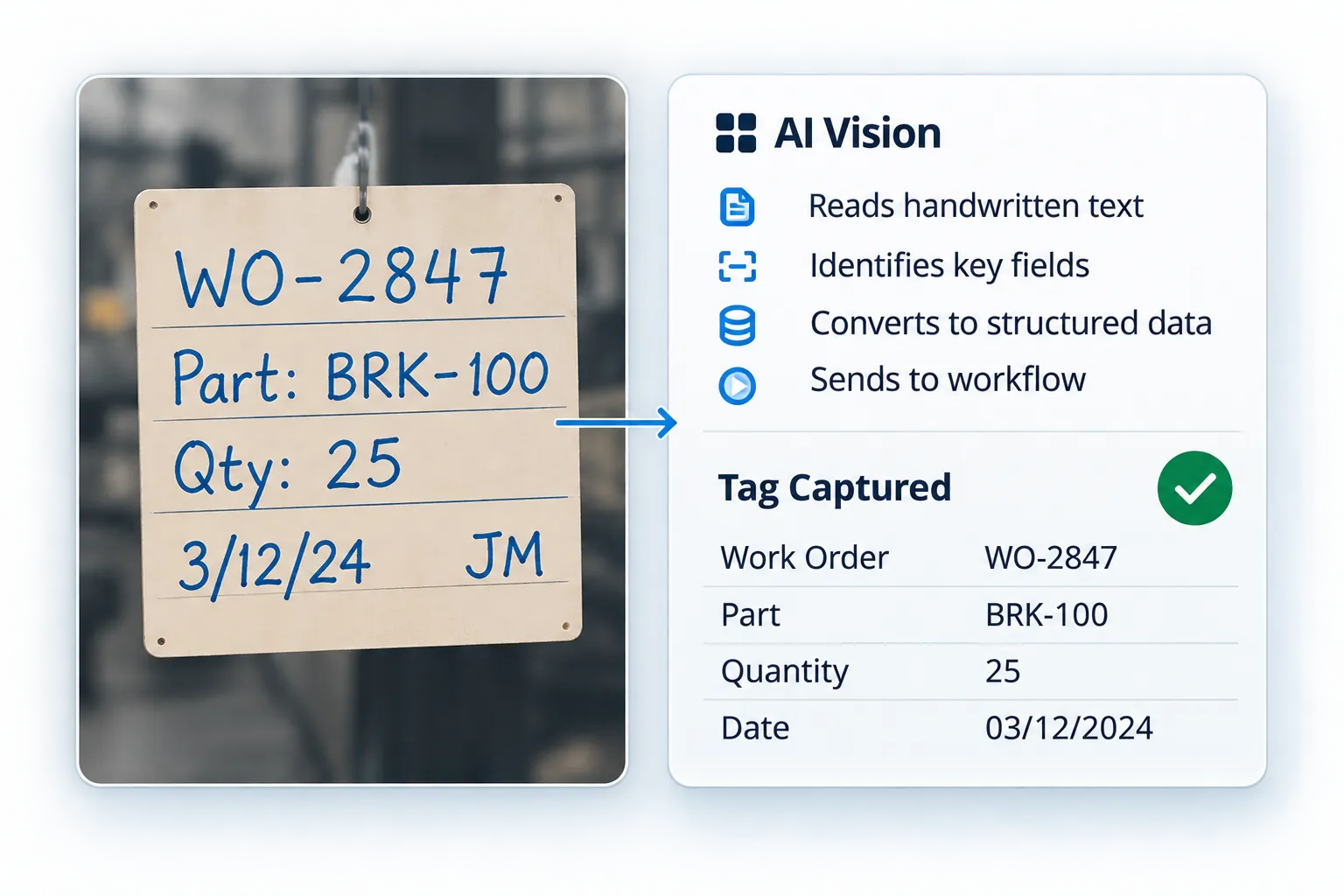
AI Vision reads images and screens, so information that only exists on a tag or photo can flow into your workflows.
- Handwritten tag reading
- Visual monitoring from photos and cameras
- Portal integration where no API exists
- Face recognition, for example for time entry
EXAMPLE
e.g. one real customer example, e.g. tags or travelers captured on the shop floor
Answer and act on your data
AI Agents:
Ask a question, check the rules, carry out the steps.
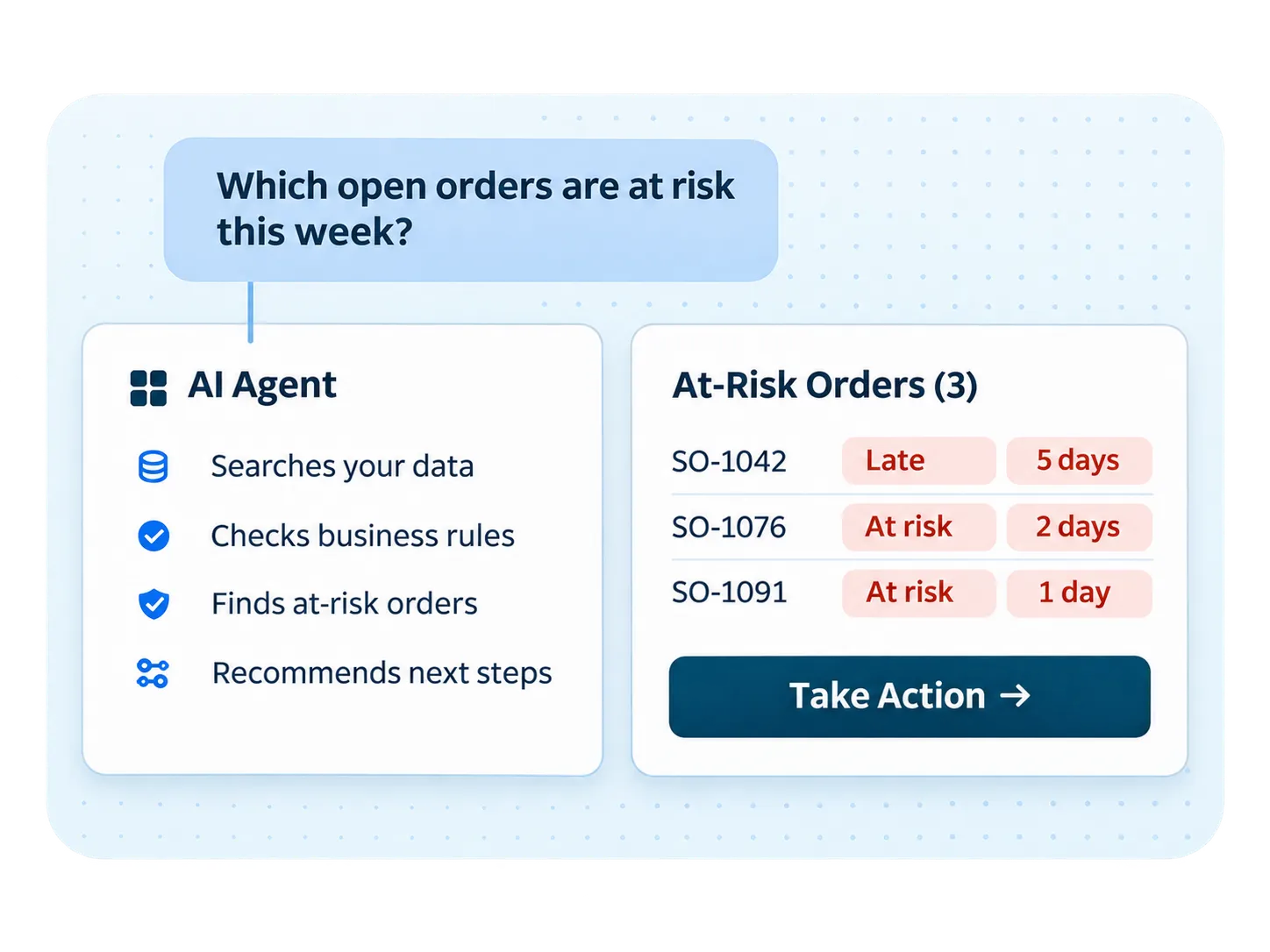
AI Agents work across your business data. They answer questions in plain language, validate work against your rules, and carry out multi-step processes on their own.
- Q&A across your business data
- Validation against your rules
- Multi-step process execution
EXAMPLE
one real customer example, e.g. "which open orders are at risk this week?" answered and acted on
Custom MCP servers for your business
AI Ontology:
Need a custom MCP server? This is where it starts.
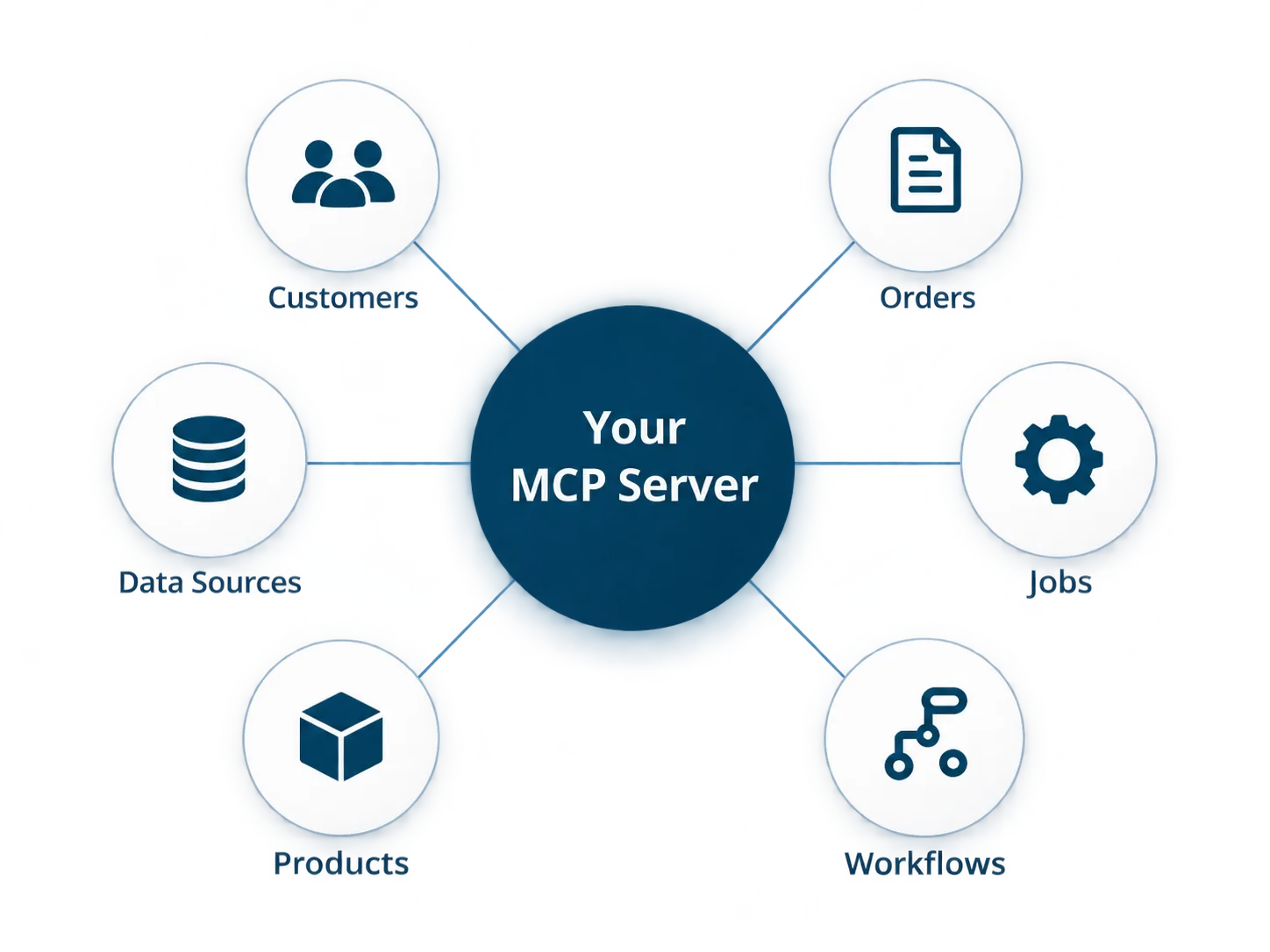
The AI Ontology understands your customers, orders, jobs, and the workflows that connect them. We build it into a custom MCP server, so the AI tools your team already uses can work with your real business data, with the know-how built in.
- Custom MCP servers built around your business
- Understands entities, relationships, and workflows
- Connects your data to Microsoft Copilot, Claude, and other AI tools
Run your business
your way.
Tell us where the gaps are in your operation, and we will show you
how the Workbench can close them. No obligation.